How to Unlock Regions in Verde
Expand Dewdrop Valley without stranding Seedlets in the wrong climate.
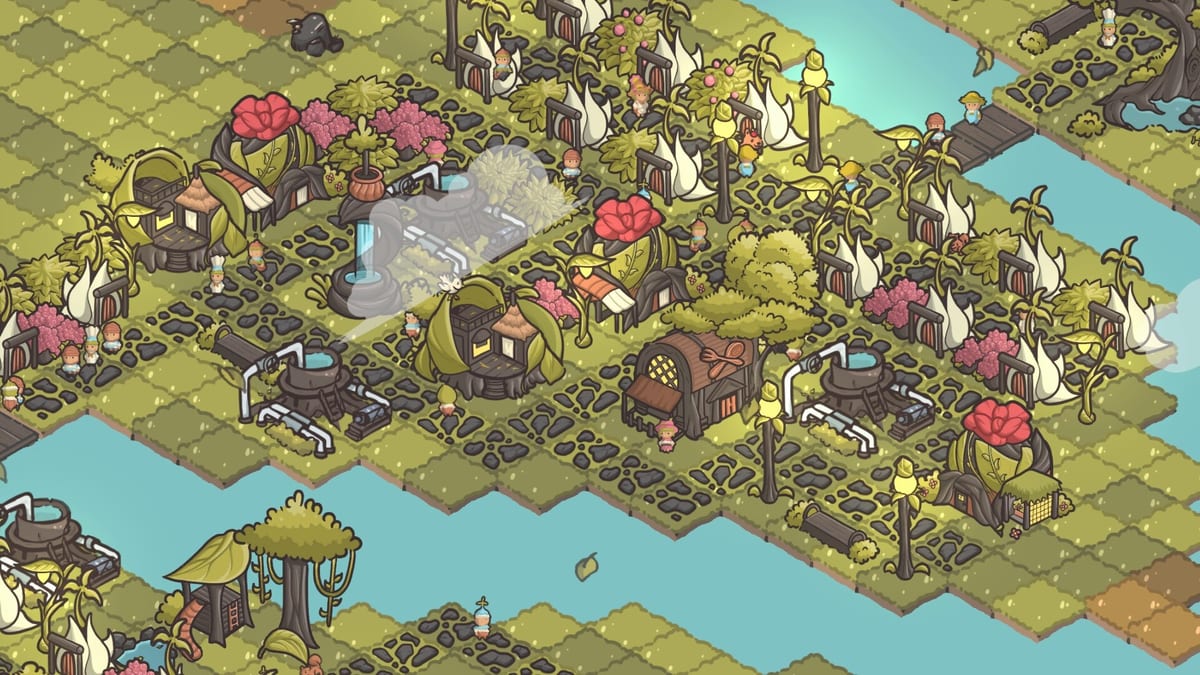
Dewdrop Valley is not a single biome. Verde asks you to restore multiple regions, each with its own look, building kit, and environmental twist. This guide explains how region unlocks work in practical play, how the tropical beach expansion differs from the starter garden, and how to prepare before you spend Leaves on unfamiliar parcels.
Pair this with Dewdrop Valley Map, Biome Buildings, and the Campaign Walkthrough.
How region unlocks usually appear
Region progress is gated by campaign or quest milestones such as population goals, happiness thresholds, and specialty builds. When a new region is ready, the land-expansion interface offers parcels tied to that biome — for example tropical shoreline tiles — instead of only cloning the starter dirt. Players in the demo sometimes miss that the purchase target moved to a different edge of the map; if a quest says “buy land in the tropic region” and your usual plus icons only extend the old biome, pan around the border until the correct parcel type highlights.
Starter garden region
The opening region teaches water distributors, classic demands, and decoration. It is the safest place to experiment with presets and path layouts. Do not rush away from it while the heat map is still red; new biomes amplify mistakes.
Tropical beach region
Beach parcels introduce cooling needs via misting fans. Houses and many shops show blocked or unhappy states when fans are missing, even if water distributors are present. Some shoreline specials — ice cream stands and similar — are designed for beach tiles and may follow different placement rules. Build fans early, then a small cooled housing cluster, then beach-flavored services.
Other biome expectations
Coverage of Verde’s full region set includes multiple distinct environments beyond the starter garden. Reviews mention snowy or comfort-focused areas that need specialized structures such as fans to keep residents content. The exact roster widens in the full release; the durable rule is: when the ground type changes, inspect house requirements before carpet-building.
Preparation checklist before buying new-region land
- Stabilize Leaf income on the current footprint.
- Finish mailbox rewards so you own the new utility blueprints.
- Reserve Leaves for fans or comfort buildings, not only houses.
- Plan a path or bridge connection so Seedlets can reach the new district.
- Open the heat map after the first five placements, not after the twentieth.
Design tips for multi-region towns
Keep a buffer belt between biomes so the visual transition feels intentional. Use customization presets per region. Place large social buildings on the flatter parcels of each biome instead of forcing a playground onto awkward shoreline corners. If you love screenshots, photo mode loves clean biome borders.
Troubleshooting failed unlocks
- Quest not completing after a land buy: confirm it was the correct biome parcel.
- Buildings show blocked icons: check cooling or other environmental needs.
- Economy collapses after unlock: you likely bought too much land before services.
- Cannot find the new region: zoom out and inspect all expandable edges.
Related wiki routes
Return to the Demo Guide if you are practicing unlocks before launch, and track store timing on Release Date. Systems encyclopedias under Seedlets and Systems help you identify buildings that only make sense in certain climates.
The three-check habit before new land
Whenever a quest names a region, zoom out, confirm the parcel type, confirm the new utility blueprint, and confirm Leaf income. That habit prevents owning tropical dirt you cannot comfortably settle and is worth practicing in the demo before launch week.
Further notes on How to Unlock Regions in Verde
Players searching for How to Unlock Regions in Verde usually need both a definition and a next action. After reading the sections above, pick one linked sibling page and take a single in-game action before returning to the wiki. How to Unlock Regions in Verde knowledge becomes durable only when it changes a district on your save. If you still feel blocked, revisit the heat map, mailbox, and Leaf balance, then reread the checklist portions of How to Unlock Regions in Verde with your town visible on a second monitor or split window.
Frequently Asked Questions
Quick answers to the most common questions.
How many regions does Verde have?
Marketing materials highlight three distinct biomes in Dewdrop Valley, with the starter garden plus later environments such as tropical beach parcels.
Do I need misting fans in the first region?
No. Fans become important when tropical or comfort-focused parcels require cooling.
Can I unlock regions out of order?
Campaign pacing generally gates them. Follow quest text when it names a specific region purchase.
Does sandbox use the same region rules?
Environmental needs still apply even when story pressure is lighter.