Verde Pre-launch Checklist
Everything to prepare before Dewdrop Valley unlocks on Steam.
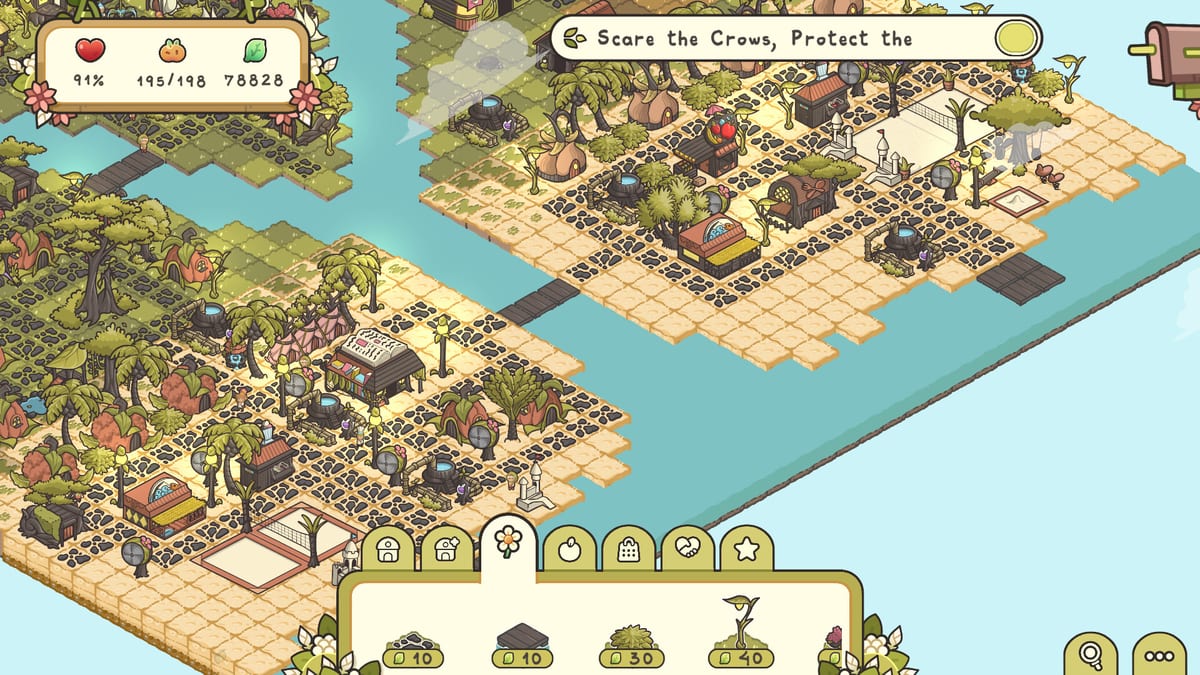
Verde launches on Steam on August 12, 2026. This checklist helps you prepare like a calm gardener instead of scrambling through store pages at unlock minute. Tick items in order, then dive into the Guides Hub.
One week before launch
- Wishlist and follow Verde on Steam via the Official Links references.
- Verify System Requirements on the PC or Mac you will actually use.
- Download the demo if it is still available and complete one tropical unlock using the Demo Guide.
- Read How to Play once so vocabulary sticks.
- Skim Release Date for trailer context and timing.
Day before launch
- Clear at least several gigabytes beyond the 2 GB minimum for a smooth download.
- Test your mouse middle-click; rotation depends on it.
- Bookmark Seedlets Care and Water and Resources.
- Decide whether your first full-game session is campaign-first or sandbox-first.
- Optional: watch the official trailer embedded on the release page to set the mood.
Launch day
- Install through Steam and confirm the cloud or local save path looks healthy after the first exit.
- Start the campaign tutorial; do not skip learning water coverage.
- Follow Getting Started if you feel lost.
- Avoid buying every land parcel in the first thirty minutes.
- When the first new region opens, open Unlock Regions before spending Leaves.
First-session goals
- Build a stable starter district with green heat-map layers.
- Unlock at least one specialty food building beyond the market.
- Customize a housing preset you actually like.
- Take one photo mode shot if it unlocks.
- Stop while the game still feels cozy �?leave a reason to return tomorrow.
Post-launch follow-up
Check Demo Notes style pages for patch summaries as the wiki updates, compare your town against Build Priority Hub, and use Game Overview when recommending Verde to friends.
multiplayer and platform expectations
Verde is single-player. There is no online multiplayer checklist item to worry about. Share screenshots instead of party invites.
Preparation is short on purpose. Verde wants you in the garden, not in a settings labyrinth.
Launch evening schedule sample
Download or update in the afternoon, eat, then start the campaign with a sixty to ninety minute timer that ends on purpose. Stop after a stable district even if you are tempted to buy beach land sleepy. Tired Leaf spending is the enemy of cozy launches. Resume tomorrow with Unlock Regions if the mailbox is ready.
Further notes on Verde Pre-launch Checklist
Players searching for Verde Pre-launch Checklist usually need both a definition and a next action. After reading the sections above, pick one linked sibling page and take a single in-game action before returning to the wiki. Verde Pre-launch Checklist knowledge becomes durable only when it changes a district on your save. If you still feel blocked, revisit the heat map, mailbox, and Leaf balance, then reread the checklist portions of Verde Pre-launch Checklist with your town visible on a second monitor or split window.
Further notes on Verde Pre-launch Checklist
Players searching for Verde Pre-launch Checklist usually need both a definition and a next action. After reading the sections above, pick one linked sibling page and take a single in-game action before returning to the wiki. Verde Pre-launch Checklist knowledge becomes durable only when it changes a district on your save. If you still feel blocked, revisit the heat map, mailbox, and Leaf balance, then reread the checklist portions of Verde Pre-launch Checklist with your town visible on a second monitor or split window.
Further notes on Verde Pre-launch Checklist
Players searching for Verde Pre-launch Checklist usually need both a definition and a next action. After reading the sections above, pick one linked sibling page and take a single in-game action before returning to the wiki. Verde Pre-launch Checklist knowledge becomes durable only when it changes a district on your save. If you still feel blocked, revisit the heat map, mailbox, and Leaf balance, then reread the checklist portions of Verde Pre-launch Checklist with your town visible on a second monitor or split window.
Frequently Asked Questions
Quick answers to the most common questions.
Do I need the demo to enjoy launch?
No, but the demo teaches water, happiness, and beach cooling safely.
What should I read first on launch day?
Getting Started, then Seedlets Care if homes stay empty.
Is there multiplayer at launch?
No. Verde is a single-player cozy builder.
Should I pre-download?
If Steam offers pre-load later, use it. Otherwise clear disk space the day before.